Free and open source

Premiere Pro, minus the boring parts.

A panel that cuts silence and retakes, captions every word and reframes for Shorts. Runs on your own PC.

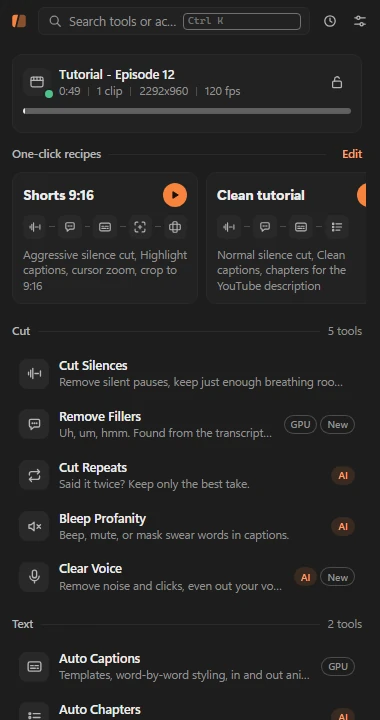
Klipora panel home screen in Premiere Pro, listing the cut, text and camera tools
  • Windows 10/11Premiere Pro 2026 (26.x)
  • Runs locallyfaster-whisper on your GPU
  • Non-destructiveworks on a cloned sequence
  • AI is optionalbring your own provider
Cut

Rough cut in seconds, not an afternoon.

Every cut is listed for review first. Uncheck anything, then apply to a clone of your sequence.

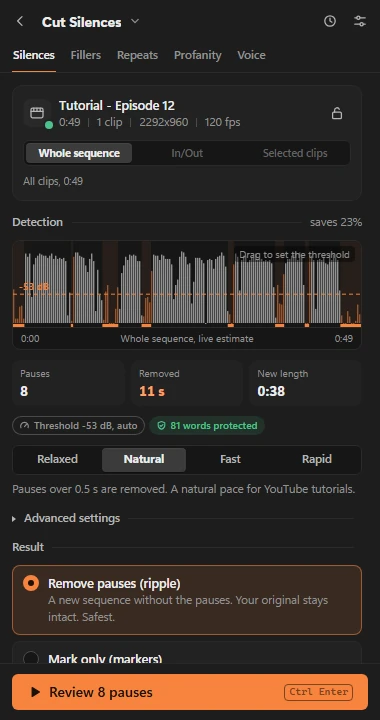
Silence cutting

Threshold is computed from your audio, so it adapts to every mic. Word guard keeps quiet syllables: on a 34.6 min tutorial, 0 words were clipped in every preset.

Filler word removal

Finds "eee", "emm", "hmm" from the transcript, a second listening pass and the sound itself. Habit words like "ya" or "oke" only when you turn them on.

Repeated takes

Stutters, restarts, corrections and full retakes. The earlier attempt goes, your last take stays. Hear the edit before you apply it.

Profanity censor

Beep, mute or duck, with a loudness-matched tone. Context rules (and optional AI votes) tell a swear from an innocent word.

Silence tool showing the audio waveform, the automatic threshold line and the Natural preset

Drag the threshold line on the waveform. The count updates live.

Text

Captions that look designed, word by word.

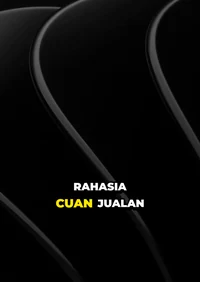
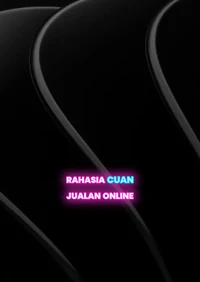
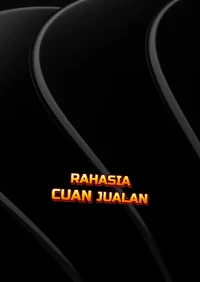
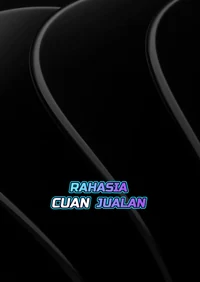
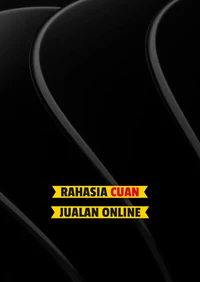
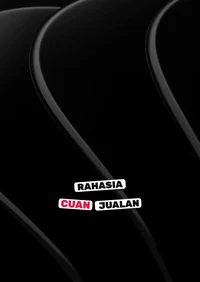
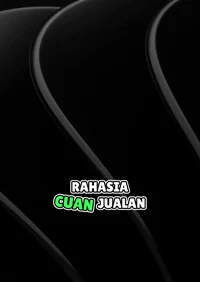
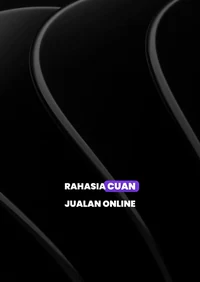
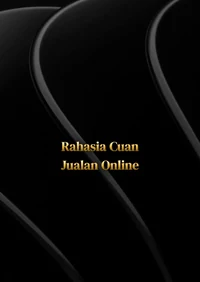
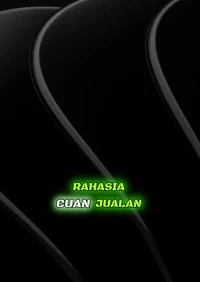
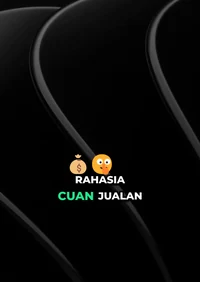
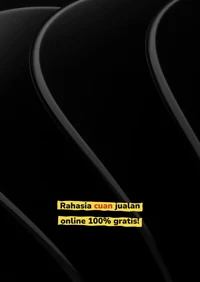
51 built-in templates, previewed over your real frame and rendered as a transparent overlay on its own track.

Caption template Kuning 3D
Kuning 3D
Caption template Neon
Neon
Caption template Flash Sale
Flash Sale
Caption template Esports
Esports
Caption template Pita Diskon
Pita Diskon
Caption template Stiker Viral
Stiker Viral
Caption template Goyang Hijau
Goyang Hijau
Caption template Bold Pop
Bold Pop
Caption template Judul Emas
Judul Emas
Caption template Komik Ledak
Komik Ledak
Caption template Promo Spanduk
Promo Spanduk
Caption template Neon Gamer
Neon Gamer
Caption template Papan Kapur
Papan Kapur
Caption template Hijau Viral
Hijau Viral
Caption template Gradasi Api
Gradasi Api
Caption template Catatan Stabilo
Catatan Stabilo

Per-word styling

Fonts, gradients, outlines, 3D and long shadows, glow, 10 background shapes, brush highlights on the active word.

Animation studio

40 ready animations for in, active word, out and loop, plus a keyframe editor for your own.

Sound effects per word

Pops on key words, a cash sound on numbers, 12 built-in sounds or your own, mixed to one SFX track.

Copy style from an image

Paste a screenshot of a caption you like. Klipora matches colors, a similar font, case, position and highlight.

Brand kit and saved styles

Brand colors, fonts and always-correct brand words. Save styles, and new videos start from your last-used one.

Auto chapters

YouTube-ready chapter markers and the 00:00 description text, editable before anything is added.

Camera

Movement for footage that has none.

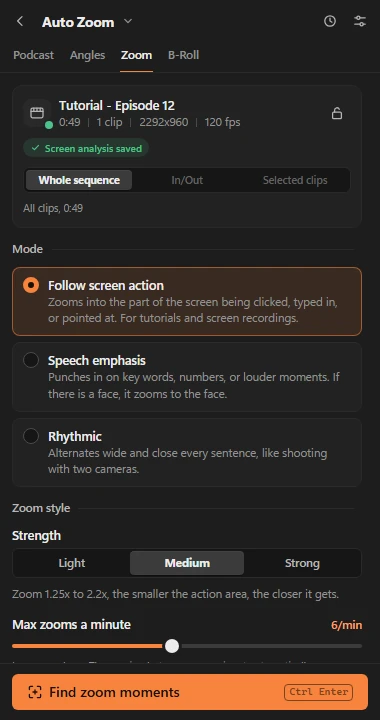
Auto zoom that follows the action

For screen recordings it zooms toward clicks, typing and menus. For talking heads it punches in on emphasis and faces. Keyframes stay editable.

  • Three modes: screen action, speech emphasis, rhythm
  • Ignores the taskbar and notifications
  • Max zooms per minute keeps it calm
Auto Zoom settings with the Follow screen action mode selected

Virtual camera angles

Wide, medium and close crops on every cut, never the same twice in a row.

Podcast multicam

The camera follows whoever is talking, with a wide shot for crosstalk. Audio is never cut.

B-roll that leaves your clicks visible

Picks moments from the transcript and fills them from your folder, Pexels or an AI still. Quiet screens get full-screen b-roll, busy ones get a corner card.

Publish

One long video, many short ones.

  • Viral clip finderScores moments 0 to 100 and makes one sub-sequence per clip you keep.
  • Auto resize to 9:16Also 1:1 and 4:5. Framing follows the cursor, the action or the speaker, or use focus + blur for screen content.
Vertical 9:16 clip with captionsVertical 9:16 clip with captionsVertical 9:16 clip with captions

Each clip can come out vertical, captioned with the template you pick.

Voice

Clear Voice

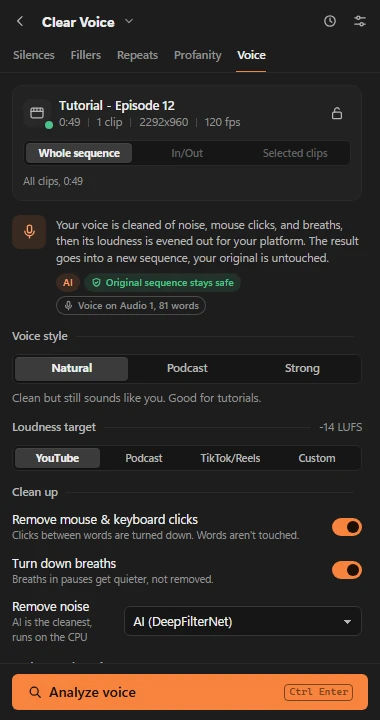
AI denoise with DeepFilterNet3, click and breath removal, loudness per platform and music ducking. Rendered to a new track, originals stay.

-20,4-14,0 LUFSMeasured on a test recording, YouTube target.
Clear Voice settings: style, target loudness, click and breath cleanup, AI denoise

How it works

  1. Read the timeline

    The panel reads your active sequence: tracks, clips, In/Out or selected clips.

  2. Analyze locally

    A Python engine on your PC transcribes with Whisper, measures audio and looks at frames. Results are cached.

  3. Review the list

    Every cut, zoom or caption is a row you can check, uncheck and jump to in Premiere.

  4. Apply to a clone

    Changes land on a copy of the sequence or a named track. One click opens the original again.

Your footage never leaves your PC.

Transcription, audio analysis, rendering and denoise all run locally. Nothing is uploaded unless you turn on a cloud AI provider.

Offline by default

Every tool has rule-based logic, so it works with AI switched off.

Keys encrypted

API keys are stored with Windows DPAPI for your Windows user only and are never shown again.

You see what is sent

With a cloud provider on, only transcript text (and a style image, if you use that feature) is sent.

No account, no telemetry

No sign-up and no usage tracking. The code is open, so you can check.

Bring your own AI, or none.

Set a primary provider and backups. If one fails, the next one takes over. If all fail, the rules still run.

  • Local proxy
  • OpenRouter
  • Gemini
  • OpenAI
  • xAI
  • Anthropic
  • DeepSeek
  • Groq
  • Ollama (local)
  • Custom endpoint

Each provider has a Fast model, a Smart model and an optional Vision model. Pick them from the live model list.

AI results are cached, so running a tool again on the same video does not cost another request.

AI never sets timestamps. Its answers are matched back to Whisper words and shown as suggestions you approve.

Requirements

System
Windows 10 or 11, 64-bit (tested on 11)
Premiere
Premiere Pro 2026 (26.x)
Python
3.14 (the version it is tested on)
FFmpeg
8.x full build on PATH
GPU
Optional. NVIDIA with CUDA 12 for fast transcription
Disk
A few GB for the Whisper model and renders

Install steps

  1. Get the code

    git clone https://github.com/muhrifqie/klipora.git C:\klipora
  2. Install the engine

    Python packages plus FFmpeg.

    py -3.14 -m pip install --no-cache-dir -r C:\klipora\requirements.txt
    winget install Gyan.FFmpeg
  3. Allow unsigned extensions

    reg add "HKCU\Software\Adobe\CSXS.12" /v PlayerDebugMode /t REG_SZ /d 1 /f
  4. Link the panel into Premiere

    New-Item -ItemType Junction -Path "$env:APPDATA\Adobe\CEP\extensions\com.klipora.panel" -Target "C:\klipora\panel"

    Restart Premiere, then open Window > Extensions. The full guide covers GPU setup and first run. Read the docs

Questions

Is Klipora really free?

Yes. The panel and the engine are open source on GitHub. There is no account, no subscription and no watermark. The only possible cost is an AI provider you choose to plug in yourself, and every AI step is optional.

Does it work on macOS?

Not yet. Klipora is Windows only for now: the engine uses Windows features such as DPAPI for key storage, and it is tested on Windows 11 with Premiere Pro 2026 (26.x).

Will it touch my original sequence?

No. Cutting tools work on a cloned sequence placed next to yours, overlays go on their own named track, and markers are tagged so a re-run replaces them. Klipora never saves your project for you.

Do I need a GPU?

No, but it helps. Transcription uses faster-whisper on an NVIDIA GPU (CUDA 12) when available, about 1 minute per 30 minutes of video on the test machine. Without a GPU it falls back to the CPU and is slower.

Do I need an AI subscription?

No. Every tool has rule-based logic that works offline. AI only adds extras such as chapter titles, viral clip picks or reading a style from an image. If you want it, bring your own provider, including a fully local one with Ollama.

What language is the panel in?

The panel interface is in Bahasa Indonesia today, and the text rules (fillers, numbers, Rupiah) are tuned for Indonesian speech. Whisper itself transcribes many languages, and you can change the spoken language in Settings.

Why is the extension not in the Window menu?

Klipora is an unsigned CEP extension, so Premiere hides it until debug mode is on. Set PlayerDebugMode for CSXS.12 and restart Premiere. The install guide has the exact command.

Spend your time on the story.

Klipora is free and open source. Star it, report bugs, or send a pull request.

Get it on GitHub